Show Your Work: Trusting AI-Generated Software
Over my years of consulting, the starting point for a new custom software project was almost always a spreadsheet. Spreadsheets have a way of growing organically between the seams of disconnected systems, or even as the primary system of record itself. The person who created one knows it like they know the process or system it’s supporting: the institutional knowledge and experience are embedded within the structure of the workbook itself. They’re often created as a grassroots fix for a problem that managers are not even aware of. These spreadsheets ease a real pain, and they’re often the scaffolding that has allowed companies to grow.
AI-generated apps are now fulfilling a similar role. Resourceful operators who would previously reach for a spreadsheet are now considering AI-supported low-code platforms like Power Apps or AI development tools like Lovable. With a few prompts, you have a working system that fills the same gaps as a spreadsheet and can address the most significant problems that eventually plague them: catching bad entries, providing tailored interfaces to different users, and keeping a record of who changed what. I’m fully bought in too: the site you’re reading was entirely “vibe coded” (AI-generated and maintained using prompts alone).
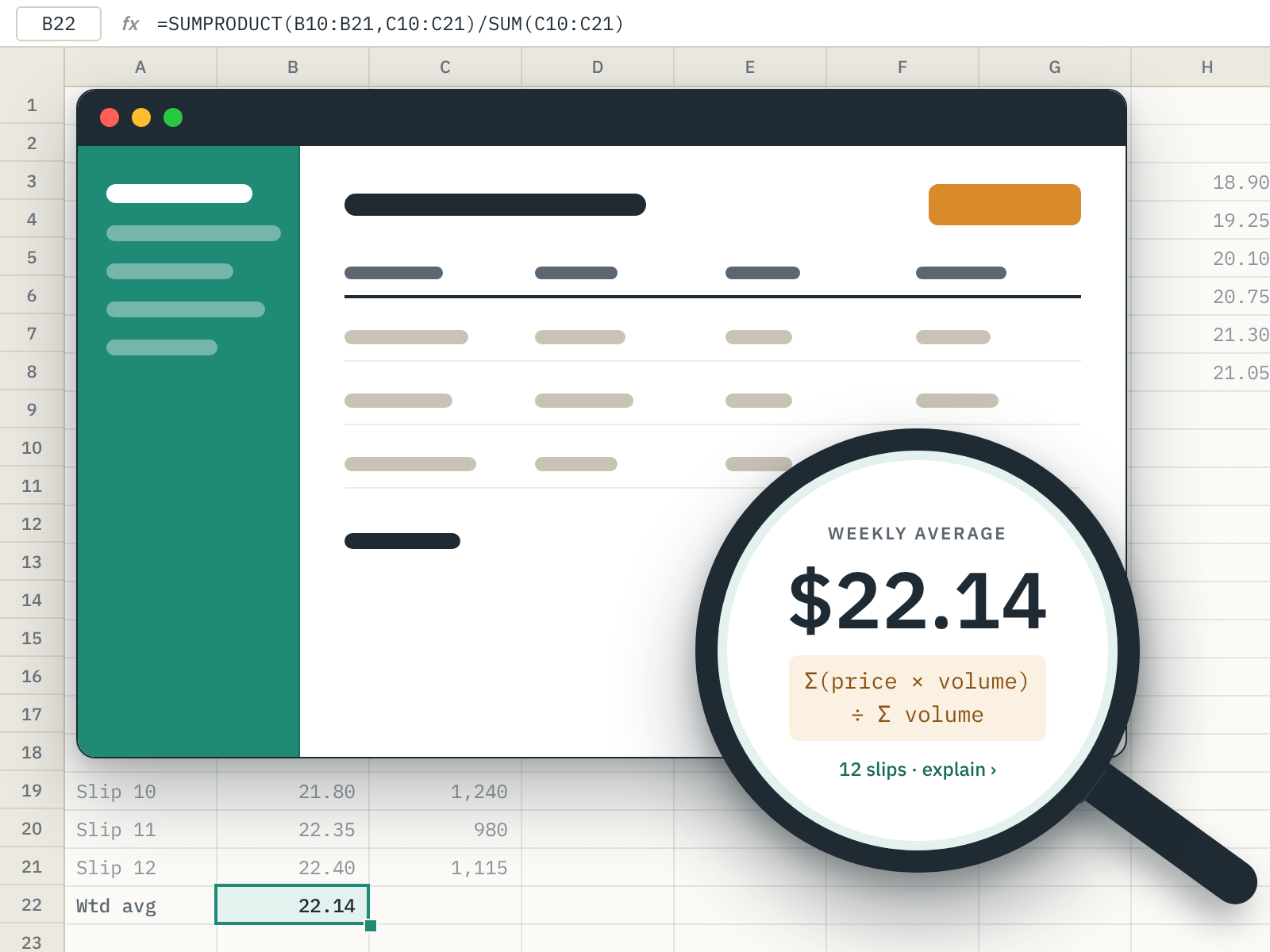
One of my very first custom projects managed the collection and normalization of commodity pricing data for the Ontario Greenhouse Vegetable Growers. Trust was critical as producers were comparing those numbers on a weekly basis. Each of their marketers had a slightly different way of reporting sales, and the aggregation work was being done manually. For all of a spreadsheet’s pitfalls, most users can follow the formulas to validate its output. Knowing that the spreadsheet’s authors were losing this capability was a key concern: iterative and collaborative development was required so that users would trust the system that replaces the spreadsheet. Wherever there was a calculation, I would add an “explain this” window to show my work, so a skeptical user could see plainly where the numbers were coming from.
An AI-generated app must earn this same trust, and it starts at a disadvantage. A spreadsheet has an operating model that is nearly universally understood (sheets, cells, etc.); what’s under the hood of a web app is a mystery to most. A system that once was an open book becomes a black box as calculations are hidden in code. This makes it much more difficult to assess if the generated logic is correct, or whether the last feature added quietly broke something else.
In addition to my own experiments, I’ve been asking my non-developer friends to send me their AI-generated applications (more to come!). The user interface is polished, and the code looks like a professional wrote it. But looking at the system as a whole tells a more complicated story. In one app, the same total was stored in several places, one for each version of a feature that was asked for. A calculation’s logic appeared twice, slightly differently each time. And after a month of prompting, adding a new feature meant significant rework to the way the app stored its data. This is simply what the tools produce when left to their own devices. Unchecked, every new idea gets riskier and more expensive to add.
These development tools are designed to get out of your way and awe you with what you’re able to create. That’s great, of course… if you already have a complete vision of the outcome. Otherwise, the agent will do somersaults to connect your most recent prompt to what’s already there. The tools don’t pause and challenge you to consolidate your thinking. Without guardrails, the architecture is in effect determined by the order your ideas came to you.
These concerns boil down to trust: Do I trust that the numbers being reported are correct? That the data are being stored in a way that I can apply to tomorrow’s problem? That the next feature won’t break something somewhere else? The good news is that a lot of these issues aren’t a failure of the technology, but of best practices and tooling still catching up to the capabilities. To help bridge the gap, I’ve put together a few recommendations.
Don’t skip the spreadsheet. John Gall famously argued that, “a complex system that works is invariably found to have evolved from a simple system that worked” (you can read more about that in my article, The Effects of Non-Technical Systems on Software Projects). If the problem can be worked out in a spreadsheet, then start with that simpler system, and you’ll reach the AI tool with a clearer idea of what you need. You can also run the spreadsheet and the AI-generated application alongside each other for some time to ensure your new system is working as expected.
Decide on your naming before you prompt. Your contribution to the process is your prompts: you’re going from 300-word explanations to thousands of lines of code. Inconsistencies in those words will create a fingerprint in the generated code. If you’ve already written a spreadsheet, then you’ve already modelled your problem domain. Take a few moments upfront to make sure your spreadsheet is consistent and that you’re able to explain it in words.
Use a low-code platform with a database you can interact with. To keep your app from becoming a black box, build it on a platform that makes the underlying data transparent, especially if you don’t have previous development experience. With a spreadsheet, there are always eyes on its raw data: drift is seen, and unnecessary complexity is felt. Recreate that habit by periodically opening the data tables and spot-checking a few records against what you expect.
Make calculations visible in the interface. AI tends to implement the minimalist user experience found in most packaged software products. Packaged software earns its trust by having thousands of users and a dedicated QA team. A custom system has neither and can’t be inspected by users like the spreadsheet it’s replacing. The best way to earn that trust is to work an explanation of any calculations into the interface itself, similar to the “explain this” window I built for the growers.
Periodically ask the agent to clean up repeated and unused logic. AI is great at reviewing code too — it just needs to be asked. Taking some time to do this regularly keeps development flowing with fewer defects appearing in unrelated modules. Removing unused logic and abandoned features keeps the agent from making suboptimal decisions when reconciling that old code with your latest prompt. For most AI-generated applications, a routine clean-up pass should suffice. You only need to ask, “Please review the current state of my project paying attention to duplicated, inconsistent, and unused logic and data. Suggest approaches for consolidating and cleaning what we’ve developed so far.”
We take for granted how new agentic development is. At the time of writing, Lovable is only a couple of years old. Software engineers are still settling on best practices for their own professional usage of agents. Just as stories like my parents being flown across the country for Lotus 1-2-3 training in the 1980s read quaint today, so will the idea that only engineers write production software one day. Spreadsheets are nearly universally understood because of their ubiquity, not because they’re naturally intuitive. The race is on to find out which AI tool and approach will shake out as the mainstream complement to the spreadsheet. In the meantime, we can treat these apps the way we eventually learned to treat spreadsheets: as valuable, worth respecting, and worth checking. The person who built the tool usually understands the process better than anyone. Over my career, my job hasn’t been to replace that knowledge, but to help it become a system everyone can trust.